Object Types
In Grasshopper and eleFront there are various types of object, each with their own distinct behaviour and properties. Understanding how these work and how to exploit them is important in creating successful and robust workflows, some of the key object types are presented below.
Referenced Objects (from Rhino Document)
An object that is referenced from Rhino, will be prefixed with the word Referenced. As long as the object is referenced, it means that there is an object in the Rhino document to which this reference is pointing. It is possible to retrieve the properties from this object that have been provided by Rhino, such as layer name and object color.
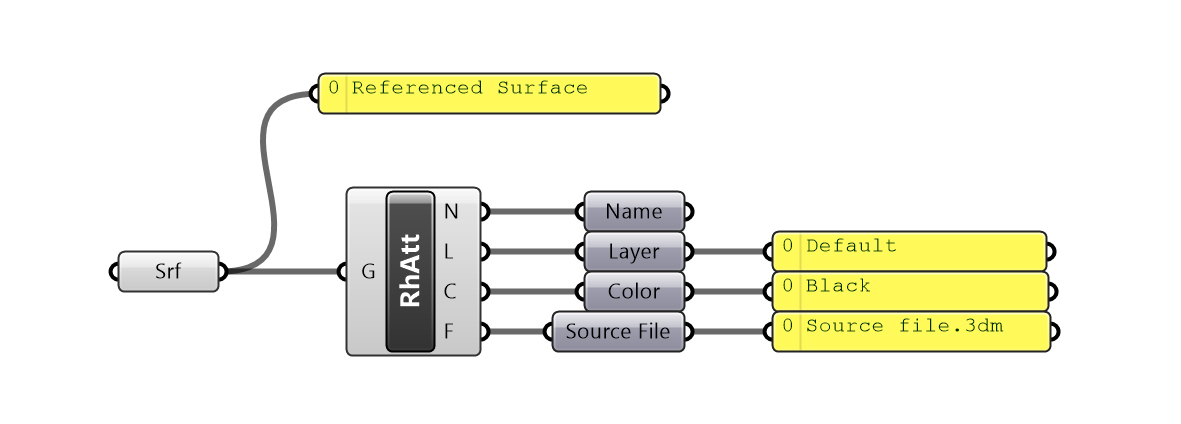 An object referenced from Rhino
Grasshopper Objects (Created on the Canvas)
Any object that is created by a typical Grasshopper component is likely to be a Grasshopper object. It means that it does not have a relationship to any object in the Rhino document. It only exists as a virtual object in your current Grasshopper solution. If you look at Figure 14, you will notice that the Offset operation creates a new object, which is no longer indicated as Referenced.
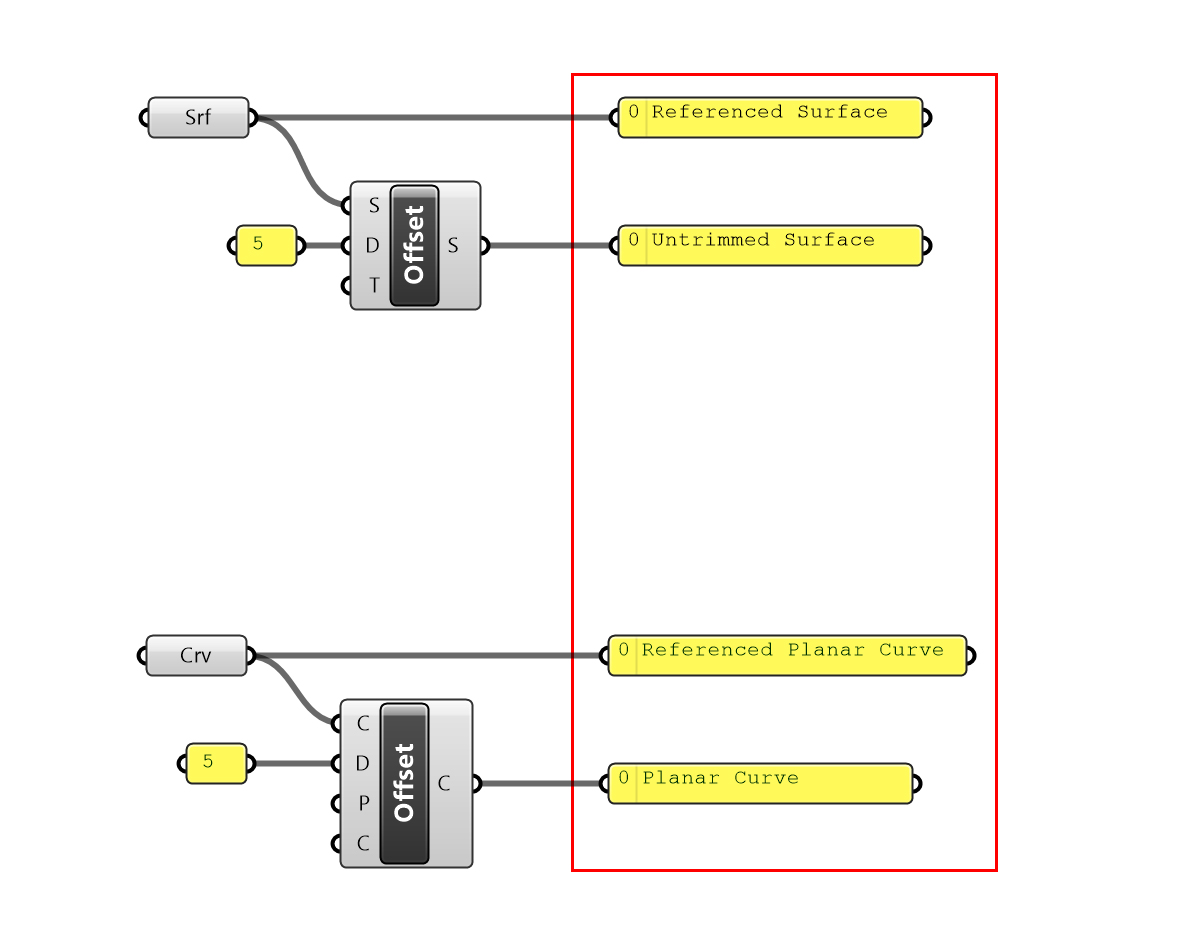 An object referenced in Rhino vs one created in Grasshopper
It is important to note that Grasshopper objects do not initially contain any attributes. Sometimes it would be useful if they did, so they can to be split into different streams. In these situations we can use the Attach Attributes component.
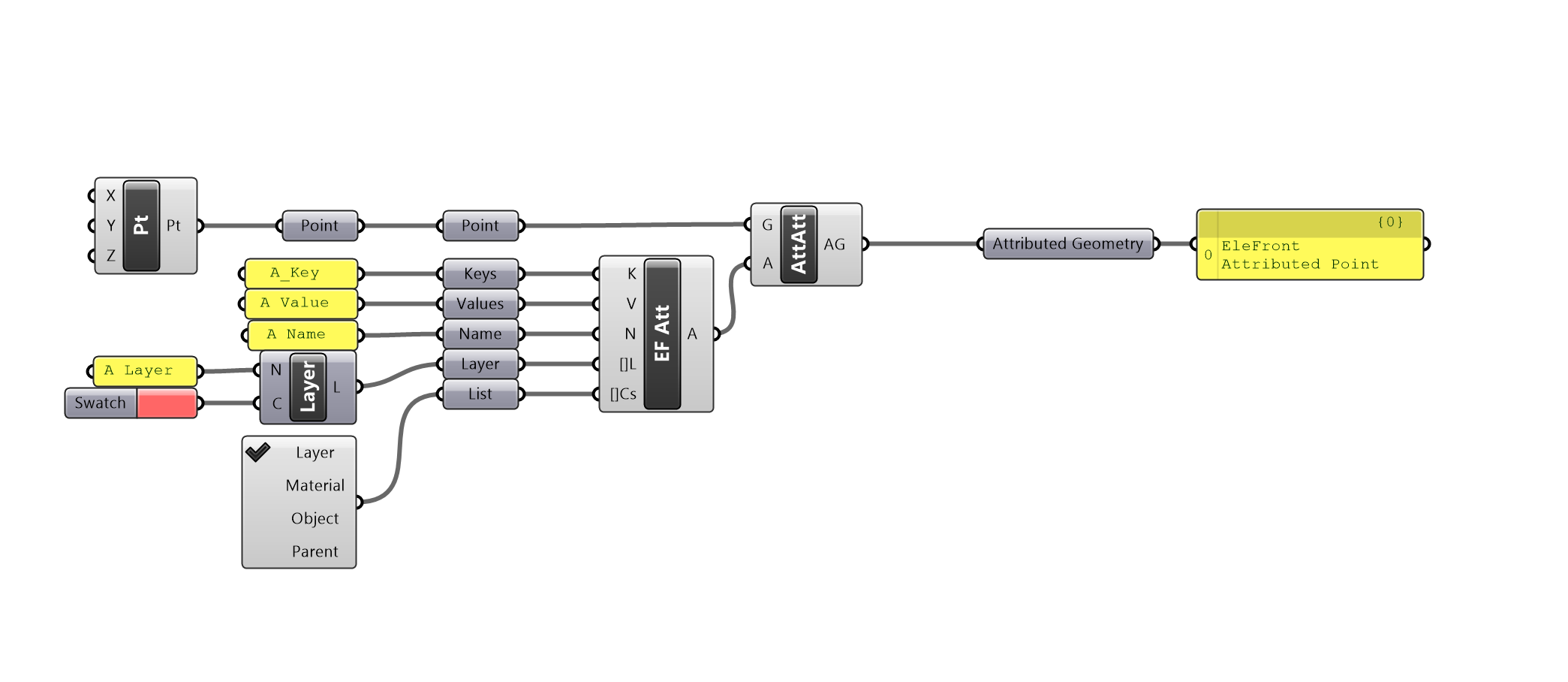 Using the
 Attach Attributes component to give newly created geometry attributes within Grasshopper
eleFront Objects (Annotations and Blocks)
Each add-on for Grasshopper may introduce new object types. eleFront is no exception. eleFront introduces various new types that are not native to Grasshopper.
For the purpose of this document, we will consider eleFront objects of equal stature to Grasshopper objects. For now, just be aware they exist.
Attributes (Attributes and Layers)
eleFront Attributes. are sets of properties that can be assigned to geometry, from which data can be extracted, they are a key type of eleFront object. These attributes are the driving force behind the workflow.
They can be explicitly created using the Define Object Attributes component, or they can be extracted from referenced geometry.
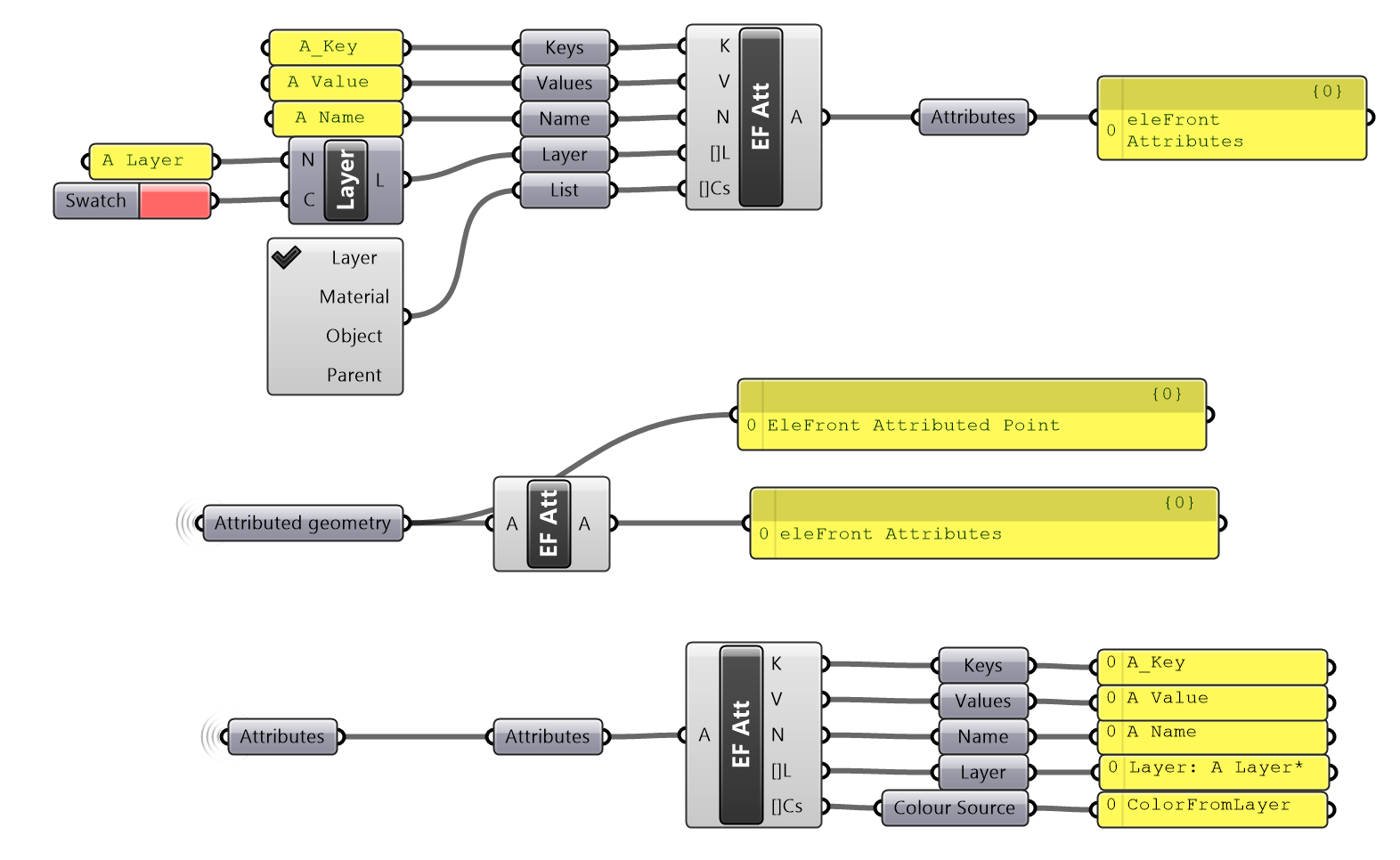 Defining and extracting object attributes
There are a number of ways in which attributes may be fully exploited, the 05_Attributes section explores attributes in more detail and how to utilize them to their full extent.